hey guys ! at fist I’d like to thanks to all the effort and love you guys giving to the project, I’ll make this description with “Dev Language” to get things easy.
Os: windows 11 latest
System: Ryzen 3500x Radeon 5700 mobo : b550m AE, Pen tablet : Wacom CTL-472
problem:
when you hover you mouse or pen-tablet on the main UI shortcuts above changed ones they still show the standard, in my case i changed the lasso tool to L_key.
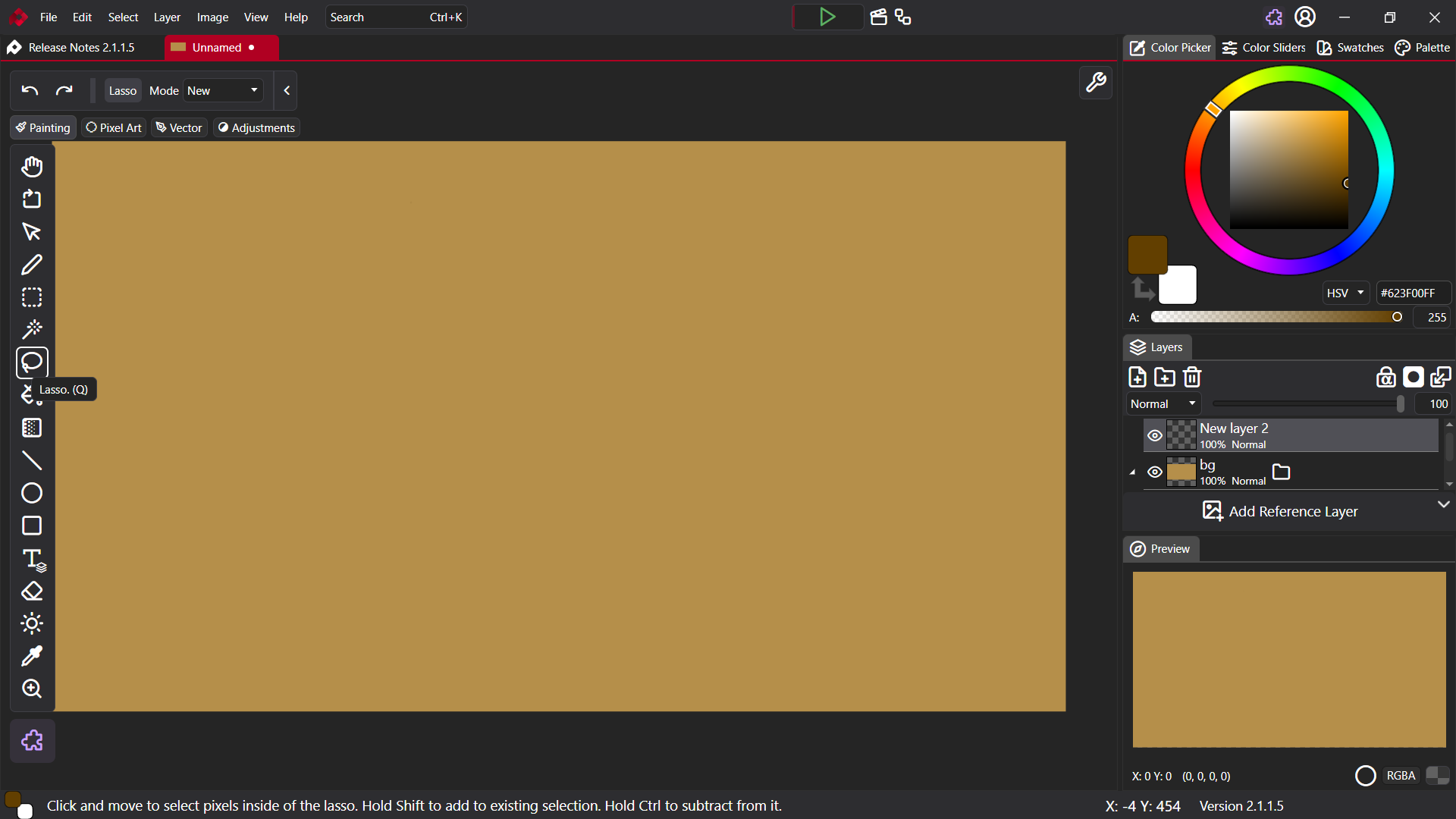
how to reproduce :
-
clean install the software by official website
-
Create a new 1080p canvas
-
go to options-> key bindings-> Select Lasso tool : Change Q to L and choose the Options swap on the massagem box.
Expected Behavior : the UI should to show the custom Shortcut binding