Brush Engine
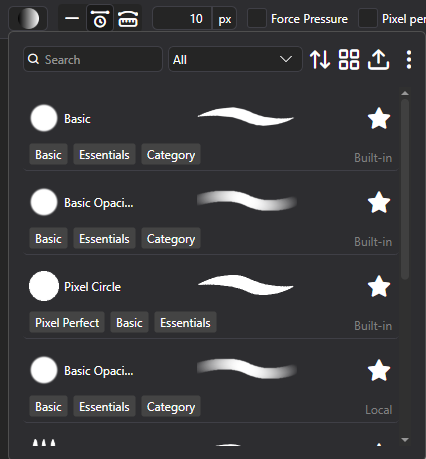
Likely, the most awaited of features, you can now create your own Brushes with PixiEditor’s Node Graph!
Use the new Brush Picker within Pen Tool to select, duplicate and edit brushes.
Along the Brush Engine, full drawing tablet support has been added. For Windows, both Ink and WinTab APIs are supported.
Check out the documentation to learn how to create your own brushes.
Brushes behave differently within Pixel Art and Painting toolset!
Extension Browser Beta
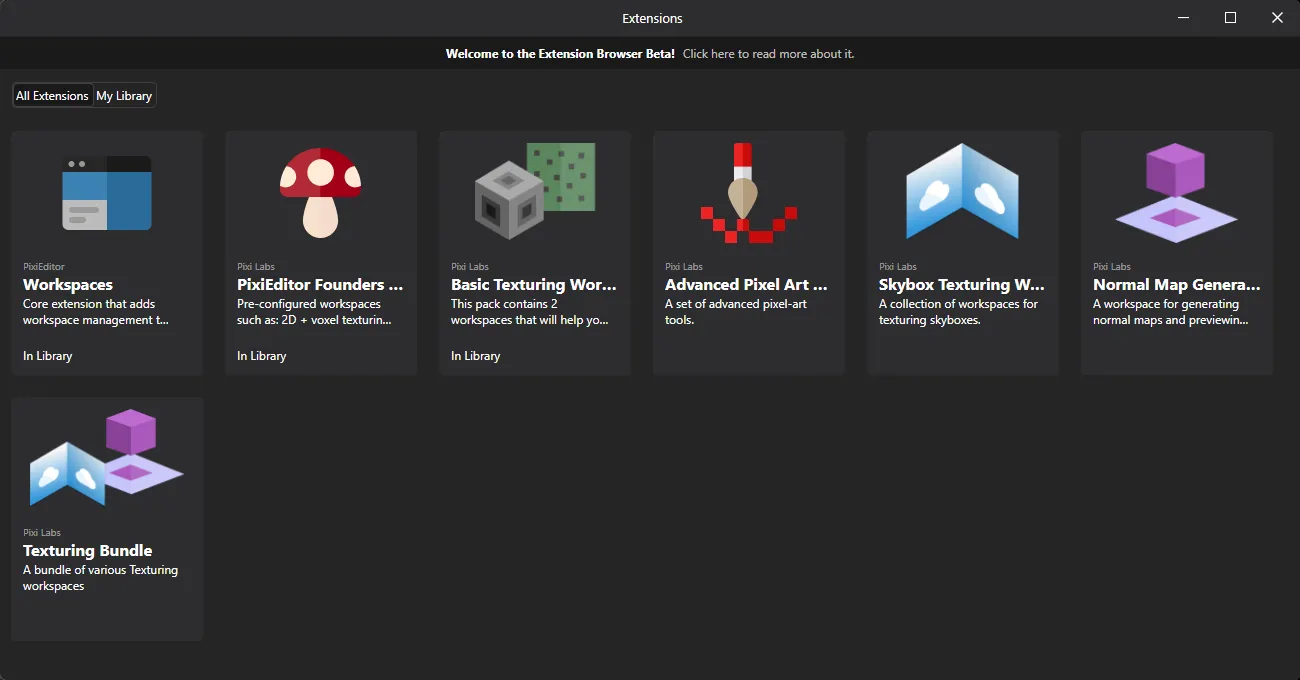
You can now browse and install extensions! Learn more about the beta
In short:
- This is a Phase 1, so the amount of extensions is very limited and only developed by Pixi Labs,
- Phase 1 is focused on preparing the system for community extensions and funding the further phases
Precise paint engine
PixiEditor now uses precise paint engine. Previously all brush stamps were rounded to pixels, starting from version 2.1, you can paint with sub-pixel precision. Snapped pixels are still an option per-brush.
Stabilizers
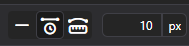
We’ve added 2 stabilizers: Distance based and Time based. They are available within pen tool settings in the viewport.
Time based: Stabilization is calculated based on time passed between previous position and new position.
Distance based: You need to move X pixels before brush follows your pointer. It’s like dragging something with a rope, you need to move far enough for the rope to become tight, before it draggs the thing on the other side.
Smart Layers
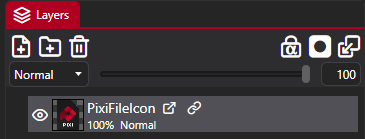
PixiEditor now supports smart layers. You can use other .pixi files within your document, embed .svg files directly as layers and more.
PixiEditor’s advanced Node Graph allows to expose values to parent document, if they are embedded as a nested document (smart layer). Additionally, with new Blackboard feature, you can define inputs to your smart layers.
So for example you can create a nice text animation template and create “Text” blackboard input.
Then after embedding this animation within other file, you can type your text and it will be passed to the nested document.
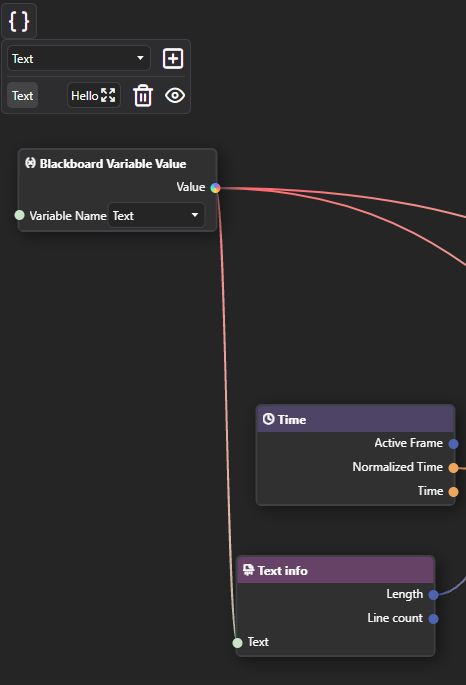
This way you can reuse one file multiple times and compose your graphics/animations much more easily.
Blackboard
Blackboard is our solution for multiple, important things:
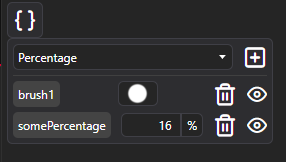
- It serves as a way to define and reuse constants within one Node Graph
- It defines Brush settings, that are exposed in Pen tool settings when brush is picked
- It allows for defining inputs for graphs. Inputs are a gateway to pass data between parent document and embedded one. If you prefer programming comparision, you can think of a nested graph as a function and inputs as function parameters.
Improved animation timeline
This is something many of you requested. We’ve overhauled the timeline and workflow of the animation system. This is the very first community proposal coming to life.
New Renderer
As a response to a few important issues, We rewrote a lot of core rendering components. There are plenty of new optimizations and characteristics. A few issues, that the new renderer is trying to solve:
- Bad performance when running some animations
- Better responsiveness of the app
New Nodes
- Gradient Node: Create gradients procedurally
- Pattern Node: Draw vector stroke out of input image.
- Viewport Info: Information about active viewport
- Blackboard Variable Value: Access blackboard variables
- Stroke Info: Info about current Brush stroke, only works within Brushes
- Brush Output: A node for defining brushes, see Brush Engine section
- Pixel Perfect Ellipse: New shape, that creates pixel-perfect ellipses
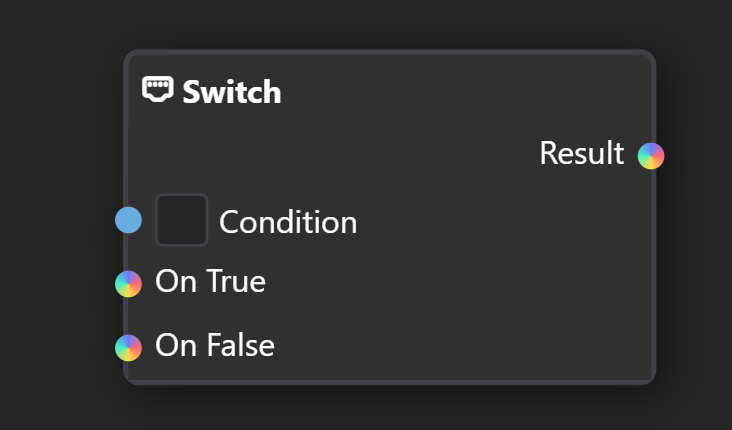
- Switch: Choose a value based on a condition
- Equals: Are two items equal
- Expose Value: Exposes arbitrary value from the graph as a output, when nested into other document.
- Editor Info: Info about current editor state, currently only Primary and Secondary color
- Nested Document: Smart Layer node. Allows for picking any document file.
- Pointer Info: Info about current pointer, such as pressure, position on canvas and more.
- Keyboard Info: Information about keyboard state, currently bools about modifier keys.
- Array: Create an array out of items
- Array Element: Get an element from array by index
- Array Length: Get length of an array
New Sockets
You may notice new colorful inputs in the graph, they mean that any type can be plugged into them.
Customizable Toolsets and Brush Tools
You can now create your own toolsets and tools based on Brushes.
Check out the documentation to learn how.
Full changelog
New things
- Added dedicated Brush Engine
- Added Blackboard and variables system
- Added smart layers
- Importing images now embed them as smart layers by default. To edit them, you need to rasterize them.
- Added support for pen pressure and drawing tablets
- Added extension browser
- Improved string editor. Now it supports syntax highlighting for shaders, search and replace and more.
- Improved stability of OpenGL render api
- Clipboard now should work much better and more stable
- Gradient Node: Create gradients procedurally
- Pattern Node: Draw vector stroke out of input image.
- Viewport Info: Information about active viewport
- Blackboard Variable Value: Access blackboard variables
- Stroke Info: Info about current Brush stroke, only works within Brushes
- Brush Output: A node for defining brushes, see Brush Engine section
- Pixel Perfect Ellipse: New shape, that creates pixel-perfect ellipses
- Switch: Choose a value based on a condition
- Equals: Are two items equal
- Expose Value: Exposes arbitrary value from the graph as a output, when nested into other document.
- Editor Info: Info about current editor state, currently only Primary and Secondary color
- Nested Document: Smart Layer node. Allows for picking any document file.
- Pointer Info: Info about current pointer, such as pressure, position on canvas and more.
- Keyboard Info: Information about keyboard state, currently bools about modifier keys.
- Added
SupportsSecondaryActionOnRightClickto ToolsConfig. Setting it to true prevents PixiEditor from executing secondary mouse button action. Useful when Brush has alternative behavior - Added Reset Transform option
- Added a way to rebind transient shortcuts (Tool quick use)
- Added non contiguous mode to flood fill and magic wand
- Added mushy advisor
- Added auto rasterize smart layer option on draw
- Added Array inputs and related nodes
- Added Decompose Gradient nodes
- Added Colors and Offsets array input in gradient node
- Added Gradient tool to Painting toolset
- Added resamling method to resize image popup
Enhancements
- Improved blur filter, now preserve alpha does not create black edges
- Combien Color node will now use 0-255 range in GPU and CPU context, files from 2.0 will automatically apply this change to hardcoded values
- Magic wand is now supported for any layer
- Disabled toggle alpha lock button on layer’s that are not compatible (Vector, Nested)
- Viewport now does not recenter each time you change the tab
- Greatly improved parsing SVGs, a lot of cases were fixed
- Added support for filters (blur and shadow for now)
- Added file presets
- Greatly optimized startup times and performance of files with a lot of folders
- Removed Pen Mode (obsolete, not properly ported feature from V1.0)
- Improved render caching, panning the viewport around with whole document visible should be smoother
- It is now possible to import gif and APNG into frames
- Overhauled the timeline
- Added Render Overlays option to Custom Output Node
- Added possibility to plug Paintable type to Color type in the node graph
- Disabled account window popping up on start
- Shift clicking with Pen, Eraser and any brush-based tool will now create a line from previous position to click position with selected brush
- Changed category of Character Position Node
- Added hint color to portable color pickers in blackboard and gradient picker
Fixes
- Fixed crash related to duplicate style property in SVG
- Fixed crashes when windows throws error for explorer dialogs
- Fixed a crash, that occured when typing .gif or .mp4 extension in Image export dialog
- Fixed line, ellipse and points disappearing pixels
- Fixed color not updating for pixel perfect pen
- Fixed a bug that caused tools to rapidly change when holding Space or other temporary tool switching buttons on Linux
- Fixed shortcut focus issues in graph view
- Fixed not being able to click on font picker in the node graph (also added a color to socket)
- Fixed default font value not visible in the node graph
- Fixed crash when typing unknown extension to save picker
- Fixed dragging titlebar
- Fixed drawing bug that was caused by drawing on two different documents side by side
- Fixed duplicating shape when changing color - by @baj
- Fixed reference layer breaking undo - by @baj
- Opening SVG will now do a better job positioning nodes in the node graph
- Fixed several gradient rendering issues. Each gradient will now render in sRGB color space.
- Fixed dropping file to reference layer
- Fixed a crash when trying to use bucket tool
- Fixed transforming reference layer when move viewport tool is active
- Fixed self snapping for vector shapes when transforming
- Fixed focus issues with the timeline
- Fixed animation group creating on paste
- Fixed cel creating when using read only tools
- Fixed export not updating when document color space changes
- Fixed rendering outline and its previews
- Fixed color space issues with when drawing shapes
- Fixed full screen viewport rendering not re-rendering when using viewport info node.
- Manually creating a layer node in the Node Graph will now not select it automatically in the layers panel
- Improved CreateImageNode chunk scaling
- Fixed tile node scaling
- Fixed layer scaling wrong on zoom out in some cases
- Fixed cel previews not refreshing and framerate not cloning to smart layer
- Fixed crash when floating node graph window on macOS
- Fixed flood fill not working sometimes
- Fixed selection tools not working properly with custom outputs
- Fixed copying visible not working properly with custom outputs
- Crashes/freezes fixes for OpenGL
- Fixed saving stack overflow for nested documents in the blackboard
- Fixed string editor not showing errors properly
- Fixed a lot of memory leaks
- Fixed empty texture not upading in CreateImageNode
- Fixed various rendering issues with layers with filters
- Fixed various untranslated texts
- Fixed cropping and changing canvas size not update vector layer’s positions
- Fixed UI of some texts in the settings
- Fixed parsing matrix formats in some SVG files
- Fixed layer reverse order export in SVGs
- Fixed swapped icons of symmetry
- Fixed changing vector path dropdowns not updating on canvas until one of the points is moved