Layers have problems now

There were lots of issues with the new 2.0 version when I tried using the software like I usually do

Issues:

  1. After selecting a layer to edit it, everything is selected. When i press my ‘Apply’ keybind (so nothing is changed) it deselects the layer
  2. Layers kept duplicating and showed weird portions of the image

I didn’t do anything special, I was trying to use the selection tool and Cut + Paste to move a part of my image
  1. I think I need more information how I can reproduce the issue. How many layers did you have? Did you select with selection tool (M) or with transform/select tool (V)? When you hit enter, what selection disappears?
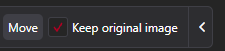
  2. Do you have “Keep original image” selected by any chance?
    image
  1. After Cut using selection tool, and paste. Its really that simple
  2. I cant find the ‘Keep original image’

found the keep original image, it was unchecked

Do you mind recording the issue? I can’t reproduce it on my setup.
EDIT: I found one case where it’s broken

What do you mean by ‘Recording’

I pushed a fix to development channel (Settings → Updates → select Development) or “development” beta on steam. If you find any more issues, let me know