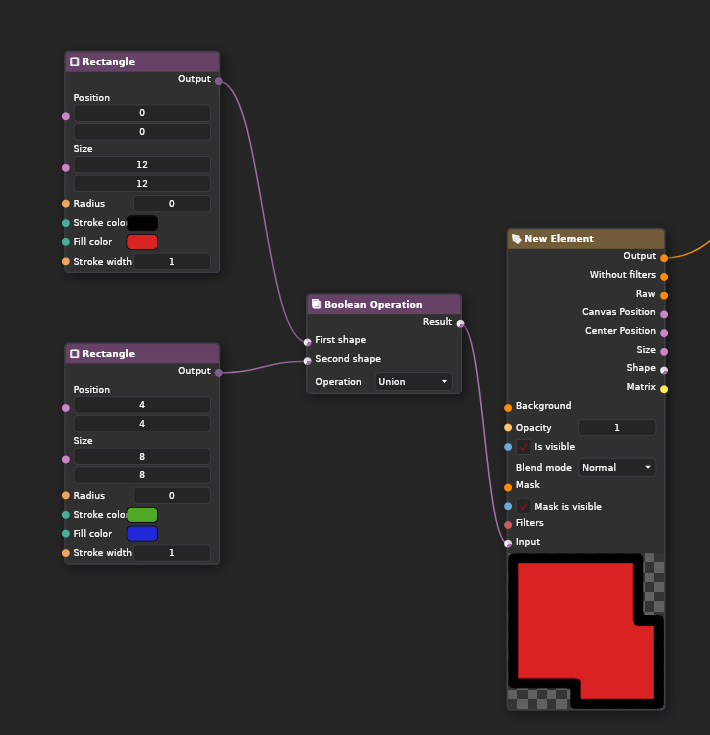
When I draw vector shapes, it creates one layer per shape, but I can merge them using the “Merge selected layer with below” function (after right-clicking on a layer).
How do I merge two shapes using the node system? I haven’t figured out how to do it. Is this a feature that is currently missing?
Hey, use Boolean Operation Node
It cannot be used as a merge tool, it seems to consider shape but not color.
If you’re merging two shapes into one, it can’t have two different color values of fill and stroke. Same goes to any other setting, since you are merging the geometry into one object.
If you want to draw two shapes with different colors, you need to use Rasterize Shape Node + Merge Node or put 2 shapes into 2 vector layers and connect them with Output and Background.