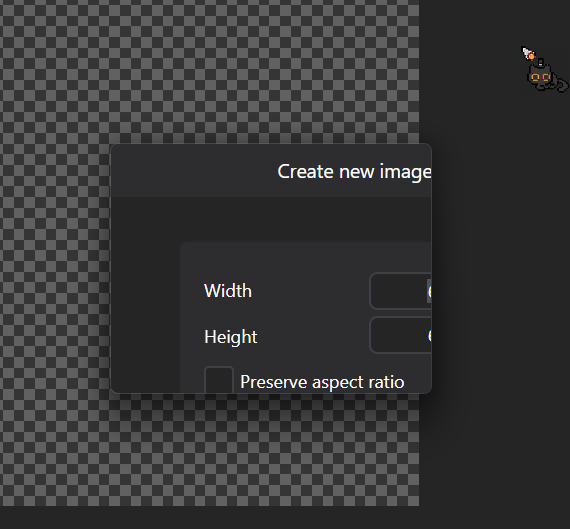
Some windows like create a new canvas doesn’t properly adjust based on which monitor it is in.
Main Monitor = 4k
Tablet Monitor = 1080p
If I press Create New Canvas this issue appears:
Does it happen on only one monitor?
Does it happen when dragging between monitors or when creating the window on target monitor?
I’m having this exact issue and I can provide some more detail.
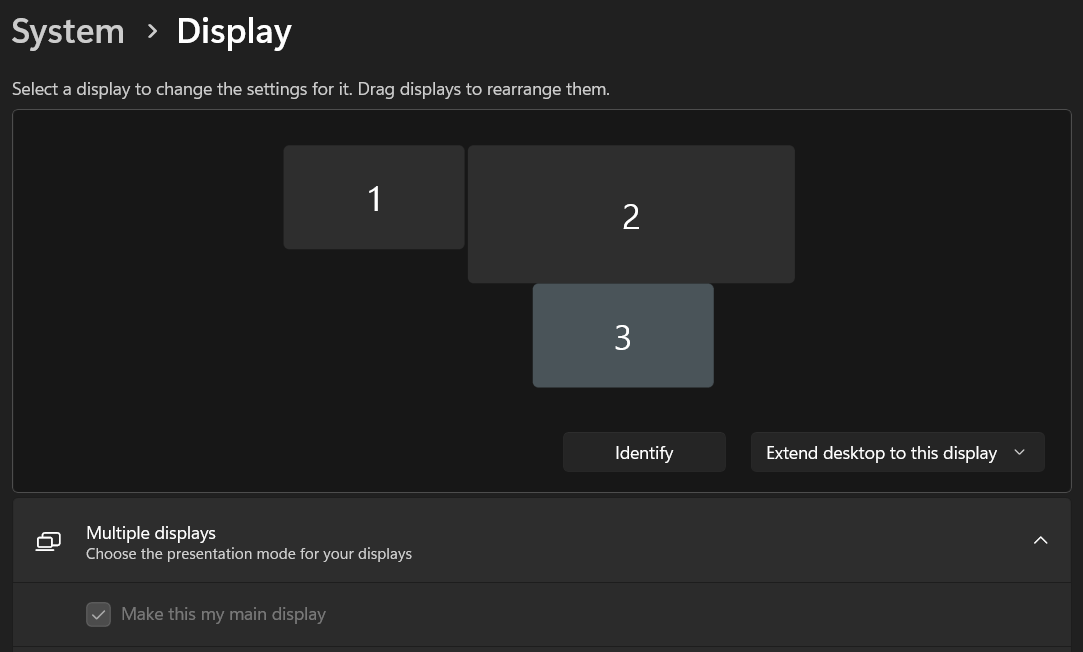
Context: I have a large 4k main monitor(2), a side-monitor(1) and a wacom screen tablet, 1080p(3) that I connect/disconnect as I need it. After some light testing, it seems like the side-monitor(1) is irrelevant in my case as connecting/disconnecting it makes no difference.
so here’s what’s happening: When I launch PixiEditor it always seems to launch on whatever monitor I have marked as my main display in the windows display settings menu(image). My large main 4k monitor(2) is always set as the main display.
When it launches on my 4k monitor(2) it displays sub-windows correctly, but when I drag PixiEditor over to my display tablet(3) I get the same issue as Archeia, where sub-windows in pixieditor are cut off. As far as I can tell, the main workspace is unaffected. -There seems to also be an issue where the mouse pointer is slightly off-target in these sub-menu’s
However if I set my display monitor(3) to be my main display in the windows display settings (image), PixiEditor will launch on that monitor and sub-windows will display correctly, even when I drag them over to the 4k monitor(2) and when I drag ‘em back.