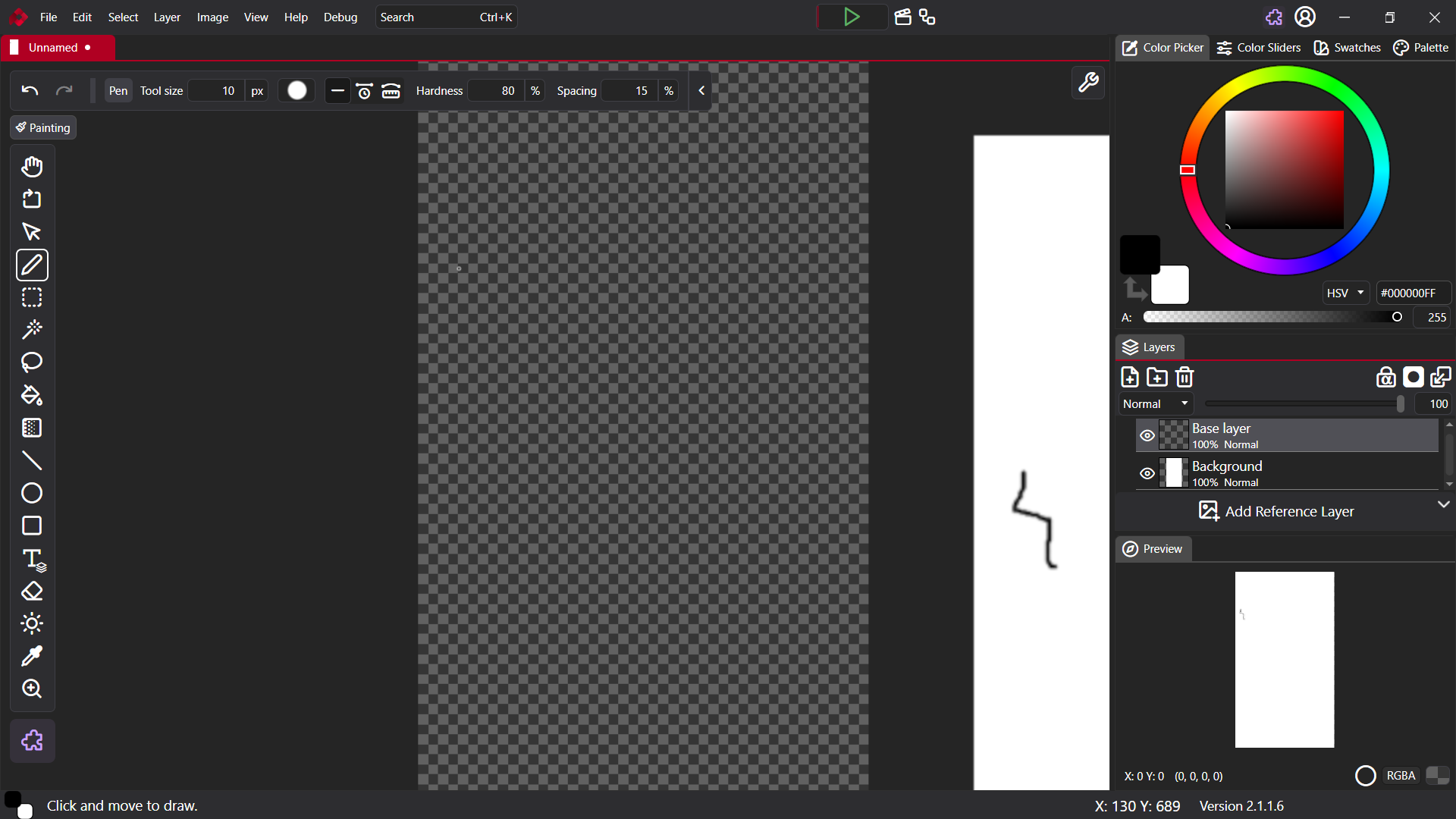
At a certain zoom level the drawings is just not where it should be, this only applies to high resolution canvas
This issue was there in older version, I thought someone has already reported this but turns out it’s not
It seems to be happening pretty randomly, I tried replicating that, but with no luck. I guess it happens for you every time for same dimensions?
I poked at this bug and think I was able to narrow down a complex set of causes.
This only triggers for me once the file and PixiEditor application has met some conditions I’m not entirely sure of. I’m attaching a minimal example file that I’ve confirmed suffers from the bug.
zoom bug minimal example.pixi (2.7 KB)
This bug occurs when sufficiently zoomed out as described in original post. Zooming out all the way should be guaranteed to trigger it.
The bug triggers when the canvas is partially outside the viewing area. As you can see in the original screenshot, the top and bottom of the canvas are cut off, and the top and left are cut off in the video. Simply move the canvas off the side and it should trigger immediately without any edits.
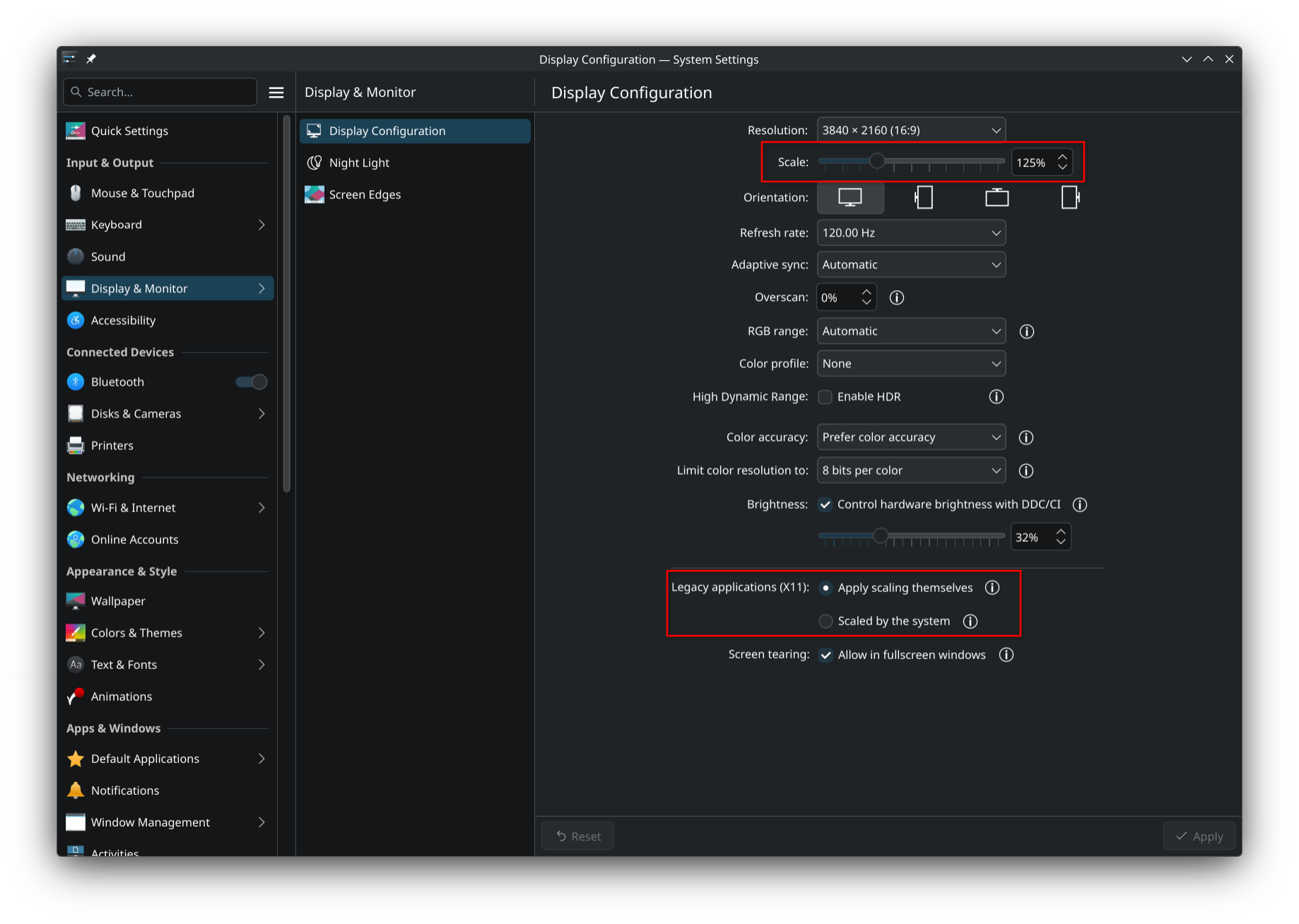
This happens for me on Linux with KDE (kwin_wayland) only with UI scaling set to a fractional value and Legacy applications (X11) set to Apply scaling themselves. Sometimes I need to resize the PixiEditor window after changing the display settings in order for the bug to trigger again.
I have published a potential fix in dev version 2.1.2.3, please test and let me know if it still happens
Confirming this bug no longer occurs in any of my previously-affected files.